
What do I need to organise a sports game?
Start with a confirmed venue and court arrangement, then provide the sport, date, time, level, format, capacity, price and any relevant session instructions.
FOR BADMINTON, PADEL & PICKLEBALL ORGANISERS
Set up one clear session, fill the places and keep the player commitments attached to the game from first invite to final payout.
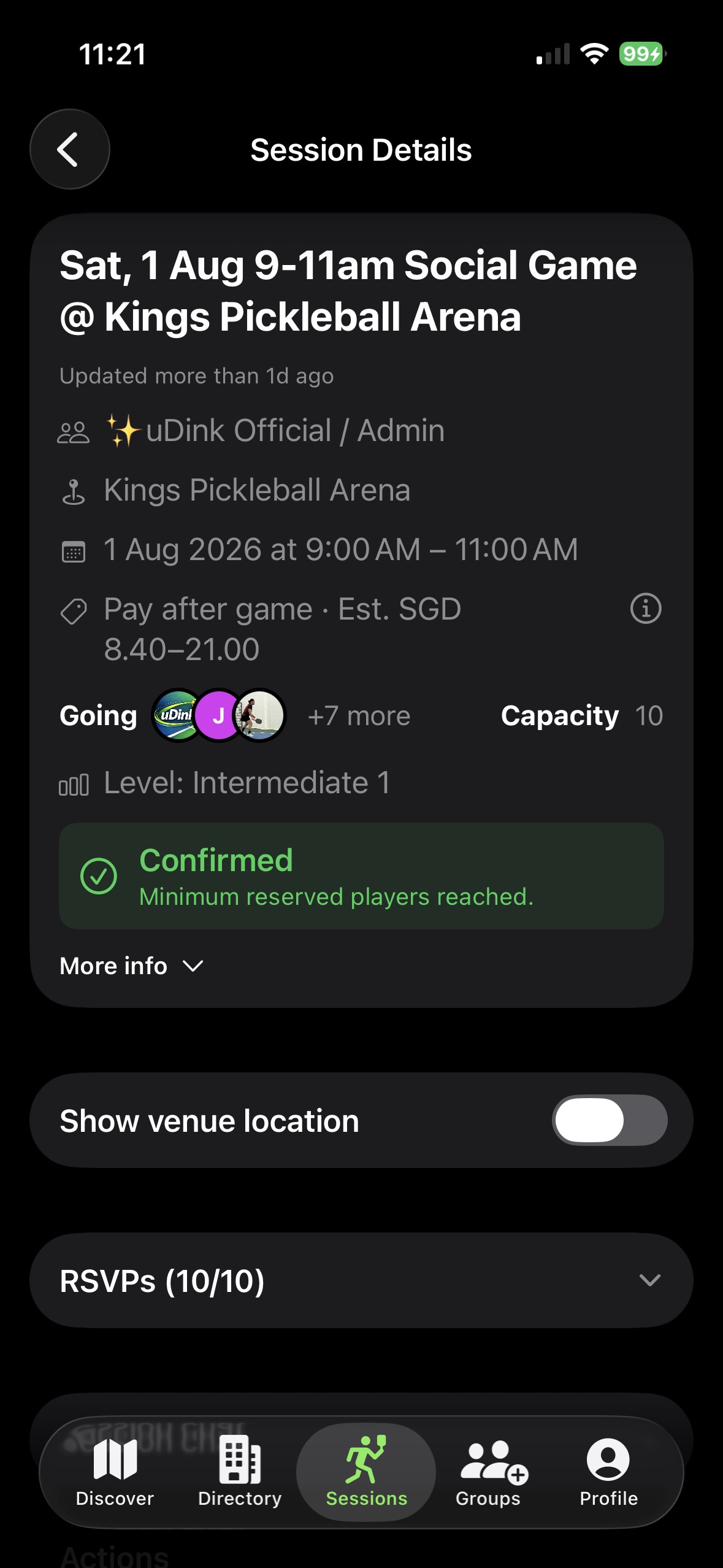
A SIMPLE ORGANISER WORKFLOW
Add the sport, venue, date, time, playing level, capacity and minimum-player requirement.
Set up a free or paid session using the available options in your account.
Publish the session once and share that same record wherever players already communicate.
Use the reservation list to see confirmed places, capacity and whether the minimum has been reached.
Keep attendance and the operational record with the game, then use the applicable settlement and payout flow.
RSVPS ARE THE SOURCE OF TRUTH
Give every player the same session link, then use its reservation list as the current view of who is in, what has changed and which places remain.
ORGANISING SPORTS GAMES FAQ
Start with a confirmed venue and court arrangement, then provide the sport, date, time, level, format, capacity, price and any relevant session instructions.
Share one current session link with clear details and let players reserve from that record. This makes the reservation list more reliable than confirmations spread across messages.
uDink supports free sessions and eligible paid-session flows. The options available can depend on your account and session setup.
No. Continue using your venue or its booking platform for the court. uDink manages the player commitments and session record around the game.