
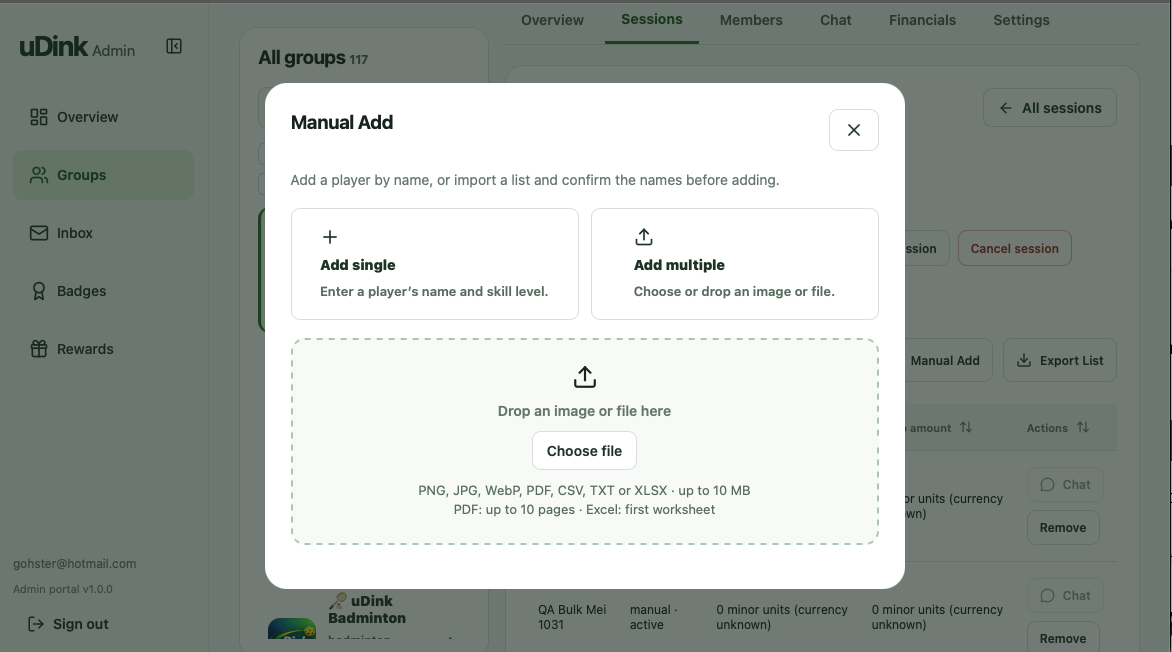
Add a player by name.
Enter a player’s name and optional skill level. Keep their place on the session list alongside other participants.
For venue operators & court owners
Bring your existing player lists into uDink, share the work with trusted admins, and manage sessions and payouts from one dashboard.
Built for the people who make games happen.
Switch between the groups you own or administer.
Illustrative dashboard · Example groups and data
Bring your existing players
Add regulars by name or import an existing player list into an eligible session. Review the names, confirm their places and invite them to join your uDink group.
Enter a player’s name and optional skill level. Keep their place on the session list alongside other participants.
Use an image, Excel file, CSV, TXT or PDF. Import up to 64 names at a time instead of entering each one separately.
Review and edit the names, select the players and confirm the additions. Then share a group invitation so they can join your uDink community.
Group management, in focus
Move between your groups, see where things stand and open the session that needs your attention.
64 members · Singapore
| Session | Starts | Type | Paid / reserved | Manual | Capacity | Status |
|---|---|---|---|---|---|---|
| Friday Social Pickleball All levels welcome | 06 Nov · 19:00 | Prepaid | 12 | 0 | 16 | Scheduled |
| Sunday Beginner Session Beginner-friendly play | 08 Nov · 09:00 | Post-paid | 6 | 0 | 12 | Scheduled |
Check registrations and remaining places before game day, so you know where to focus your follow-up.
Appoint trusted hosts, coaches or staff to administer your groups while you retain access.
Review completed paid sessions and payout records within each group.
Get started with one group
Create a group for a weekly social game, beginner session or private programme. Add your player list and appoint the admins who will help run it.
See how to create your first group →Keep your venue’s existing court-booking process. Use uDink to manage the players, commitments and payments around your sessions.
A few things to know
Start with the communities you manage and the sessions you want to run.
Your dashboard shows the groups you own and those where you have been appointed an administrator. Your role determines the actions available within each group.
Yes. Group owners can appoint administrators to help manage their community. An appointed admin can access the group through their own dashboard.
No. Keep using your existing process to reserve and allocate courts. uDink supports the group and session activity around those arrangements.
Tell us how your venue operates. We can discuss whether a venue-run community or a programme managed with a host would fit your setup.
Payment and settlement depend on the session type. Review the current payment guides and platform-fee details before running paid sessions.
Read the current fee details ↗Let’s talk about your venue
Tell us how you organise games today. We’ll walk through the dashboard with you and discuss how to bring your existing player lists into your first group and session.
Start with one group, one player list and your next session.
Explore dashboard ↑